
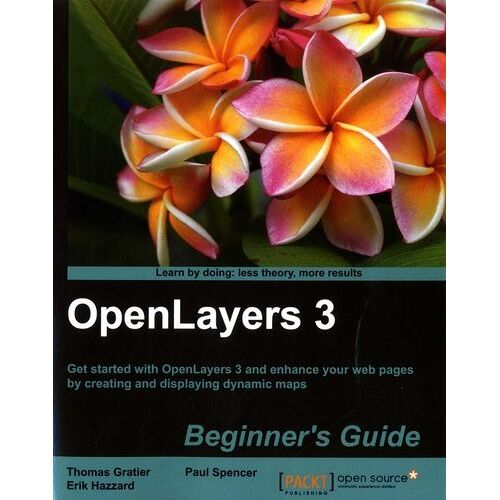
Openlayers 3 Beginner's Guide - Get Started With Openlayers 3 And Enhance Your Web Pages By Creating And Displaying Dynamic Maps - Gratier Thomas
- Format: Beau livre Voir le descriptif
Vous en avez un à vendre ?
Vendez-le-vôtreSoyez informé(e) par e-mail dès l'arrivée de cet article
Créer une alerte prix
- Payez directement sur Rakuten (CB, PayPal, 4xCB...)
- Récupérez le produit directement chez le vendeur
- Rakuten vous rembourse en cas de problème

Gratuit et sans engagement
Félicitations !
Nous sommes heureux de vous compter parmi nos membres du Club Rakuten !
TROUVER UN MAGASIN
Retour
Avis sur Openlayers 3 Beginner's Guide - Get Started With Openlayers 3 And Enhance Your Web Pages By Creating And Displaying... - Livre Informatique
0 avis sur Openlayers 3 Beginner's Guide - Get Started With Openlayers 3 And Enhance Your Web Pages By Creating And Displaying... - Livre Informatique
Les avis publiés font l'objet d'un contrôle automatisé de Rakuten.
Présentation Openlayers 3 Beginner's Guide - Get Started With Openlayers 3 And Enhance Your Web Pages By Creating And Displaying...
- Livre Informatique

Résumé :
This book is a practical, hands-on guide that provides you with all the information you need to get started with mapping using the OpenLayers 3 library. The book starts off by showing you how to create a simple map. Through the course of the book, we will review each component needed to make a map in OpenLayers 3, and you will end up with a full-fledged web map application. You will learn the key role of each OpenLayers 3 component in making a map, and important mapping principles such as projections and layers. You will create your own data files and connect to backend servers for mapping. A key part of this book will also be dedicated to building a mapping application for mobile devices and its specific components. What this book will do for you... Build a complete, real-world OpenLayers application optimized for production use. Work with different raster data sources to create a base map. Overlay vector data sources and work with vector features directly. Customize the appearance of vector layers. Understand the concept of map projections and how to use them. Manage and work with interactions such as click and touch. Work with controls to enhance the user experience. Target mobile platforms and explore challenges presented by mobile development.
©