
148,99 €
Produit Neuf
Ou 37,25 € /mois
- Livraison : 25,00 €
- Livré entre le 5 et le 10 octobre
Apres acceptation de la commande, le delai moyen d'expedition depuis le Japon est de 48 heures. Le delai moyen de livraison est de 3 a 4 semaines. En cas de circonstances exceptionnelles, les delais peuvent s'etendre jusqu'à 2 mois.

- Payez directement sur Rakuten (CB, PayPal, 4xCB...)
- Récupérez le produit directement chez le vendeur
- Rakuten vous rembourse en cas de problème

Gratuit et sans engagement
Félicitations !
Nous sommes heureux de vous compter parmi nos membres du Club Rakuten !
TROUVER UN MAGASIN
Retour
Avis sur Coreldraw X7 de Gary David Bouton Format Broché - Livre Beaux arts
0 avis sur Coreldraw X7 de Gary David Bouton Format Broché - Livre Beaux arts
Les avis publiés font l'objet d'un contrôle automatisé de Rakuten.
-
Behind Bars: The Definitive Guide To Music Notation
Neuf dès 101,68 €
-
Collection Entremets & Petits Gâteaux
1 avis
Occasion dès 90,00 €
-
Catafalque
Neuf dès 86,94 €
-
By Marc Pairon Art Deco Ceramics Made In Belgium: Charles Catteau
6 avis
Occasion dès 110,00 €
-
Song Book - Intégrale --- Chant, Guitare Ou Piano
Occasion dès 100,00 €
-
Pierre Bayle
Neuf dès 222,62 €
-
Harald Szeemann
Neuf dès 87,99 €
-
The Fourth World Omnibus Vol. 2
Neuf dès 134,88 €
-
The Globalization Of World Politics
Neuf dès 87,03 €
-
Quantum Electrodynamics Of Strong Fields
Neuf dès 211,28 €
-
Didactique De L'anglais - Tome 2, La Mise En Oeuvre Pédagogique
Occasion dès 82,63 €
-
Angry Women (Re/Search ; 13)
Occasion dès 113,99 €
-
Geometric Quantization And Quantum Mechanics
Neuf dès 123,61 €
-
The Rainbow
Neuf dès 105,43 €
-
Advanced Quantum Mechanics
Neuf dès 145,54 €
-
Te Linde's Operative Gynecology
Neuf dès 103,99 €
-
Rules, Patterns And Words
Neuf dès 80,00 €
-
Common Sense
Occasion dès 115,00 €
-
Writing Compilers & Inter
Occasion dès 77,18 €
-
Götz Von Berlichingen
2 avis
Occasion dès 85,00 €
Produits similaires
Présentation Coreldraw X7 de Gary David Bouton Format Broché
- Livre Beaux arts


Résumé :
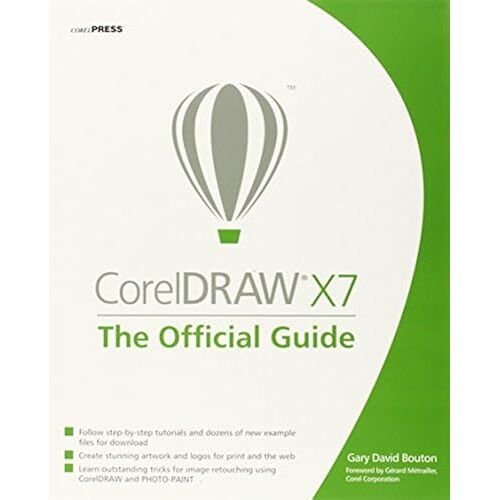
The Only Corel-Authorized Guide to CorelDRAW X7 CorelDRAW X7: The Official Guide shows you how to create photorealistic illustrations, lay out text and graphics, import and edit photos, add special effects to vector art and photos, and transform 2D objects into 3D artwork. You'll also get expert tips for printing work that matches what you've designed on your monitor. Step-by-step tutorials based on downloadable sample files let you learn by doing. Explore and master CorelDRAW's menus, palettes, and dockers Add Paragraph Text, Artistic Text, and custom-shaped text to your designs Explore the new Content Exchange for access to new, exciting patterns and other fills Create the illusion of 3D objects with the Perspective and Extrude tools Dramatically edit objects with the Smear, Twirl, Attract, Repel, and Distortion tools Add elements of photorealism to your drawings with lens effects, transparency, shadows, glows, and bevels Combine photos with vector graphics in CorelDRAW, and perform advanced editing in PHOTO-PAINT...
Biographie:
Gary David Bouton is the author of over 20 books on computer graphics and video, included five on CorelDRAW. A native of Central New York, Mr. Bouton has won numerous international awards from Corel Corp., IBM, and other software companies for his illustration and desktop publishing designs. A regular contributor to design.com (a bald-faced lie) and other forums, Gary is also a regular communist with Studio Monthly and somehow finds the time to post tips and tutorials on major sites and TheBoutons.com, a terrific resource for anyone who has the need to express themselves using a visual medium....
Sommaire:
Introduction
Part I: Student Orientation Weekend
Chapter 1: Welcome! What's in Store, and What's New
Chapter 2: The Roadmap to Features and Productivity in DRAW
Chapter 3: Diving into DRAW! Your First (Guided) Complex Composition
Part II: Getting Basic Skills Mastered
Chapter 4: Working with Single and Multi-page Documents
Chapter 5: Creating Basic Shapes and Applying Transformations
Chapter 6: Arranging and Organizing Objects
Part III: Working with Object Tools for Art and for Business
Chapter 7: Choosing the Right Path Tools
Chapter 8: Exploring the Banner Shapes, Connectors, and Other Office Automation Helpers
Chapter 9: Editing Objects, Rearranging Paths, and Using Boolean Ops
Part IV: Working with Text in a Composition
Chapter 10: Paragraph Text and Artistic Text, and When to Use Them
Chapter 11: CorelDRAW's Invaluable Proofing Tools
Part V: Attributes for Objects and Lines
Chapter 12: Options for Filling Objects
Chapter 13: Applying Strokes to Paths
Chapter 14: Using Blends and Contours
Chapter 15: Different Sets of Color You Use for Different Output
Part VI: Creating the Illusion of a 3D Composition
Chapter 16: The Perspective and Extrude Effects
Chapter 17: The Shape Editing Tools and Distortions
Chapter 18: Using the Envelope Tool, Lens Effects, and Bevels
Part VII: Special Effects in CorelDRAW
Chapter 18: Shadows and Transparencies
Chapter 19: Working with Bitmap Images in CorelDRAW
Part VIII: Bitmaps and Photos, and How to Use the CGS to Work with Them
Chapter 20: Working with Bitmap Images in CorelDRAW
Chapter 21: Understanding and Working with Pixel-Based Images in CorelDRAW
Chapter 22: Professional Output: A Primer on Prepping Your Professional Work
Part IX: Getting Your Work Out in the Public's Eye!
Chapter 23: Common Image Editing Techniques using PHOTO-PAINT
Chapter 24: Basic HTML, Page Layout, and Export...
Détails de conformité du produit
Personne responsable dans l'UE