
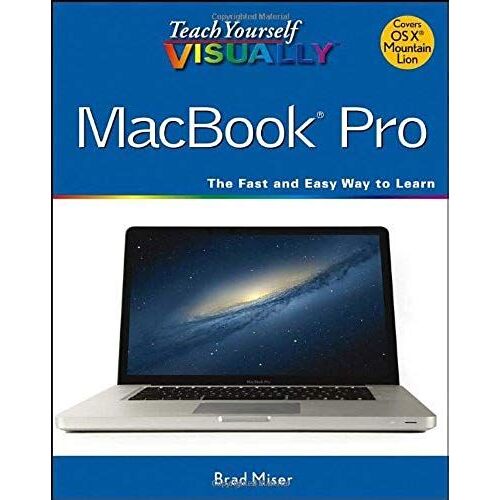
Teach Yourself Visually MacBook Pro - Brad Miser
- Format: Broché Voir le descriptif
Vous en avez un à vendre ?
Vendez-le-vôtreSoyez informé(e) par e-mail dès l'arrivée de cet article
Créer une alerte prix
- Payez directement sur Rakuten (CB, PayPal, 4xCB...)
- Récupérez le produit directement chez le vendeur
- Rakuten vous rembourse en cas de problème

Gratuit et sans engagement
Félicitations !
Nous sommes heureux de vous compter parmi nos membres du Club Rakuten !
TROUVER UN MAGASIN
Retour
Avis sur Teach Yourself Visually Macbook Pro de Brad Miser Format Broché - Livre
0 avis sur Teach Yourself Visually Macbook Pro de Brad Miser Format Broché - Livre
Les avis publiés font l'objet d'un contrôle automatisé de Rakuten.
Présentation Teach Yourself Visually Macbook Pro de Brad Miser Format Broché
- Livre


Résumé :
Quickly get up to speed on your MacBook Pro This handy resource is not only visually appealing but offers excellent step-by-step guidance to your MacBook Pro. Following the illustrated instructions will empower you to accomplish everyday tasks quickly and easily. The book covers the basics such as powering on or shutting down the MacBook Pro and working on the Mac desktop with the new Mission Control and Launchpad--to downloading applications with the Mac App Store, running Windows applications, and more. Use this clear, visual guide and quickly learn the ins and outs of your MacBook Pro. * Covers new hardware updates, Mac OS X Lion, iLife, iTunes, and more * Shows you how to work on the desktop, configure widgets on the dashboard, run Windows applications, and do your own troubleshooting Teach Yourself VISUALLY MacBook Pro offers fully illustrated instructions for learning how to use your MacBook Pro to its full potential.
Sommaire:
Part I Discovering MacBook Pro Chapter 1 Exploring MacBook Pro Chapter 2 Looking Through the OS X Finder Windows Chapter 3 Managing the MacBook Pro Desktop Space Chapter 4 Working on the Mac Desktop Chapter 5 Working with Mac Applications Chapter 6 Personalizing MacBook Pro Part II Getting Connected Chapter 7 Connecting to a Network and the Internet Chapter 8 Connecting MacBook Pro to Other Devices Chapter 9 Traveling with MacBook Pro Part III Using the Internet Chapter 10 Using iCloud Online Services Chapter 11 Surfing the Web Chapter 12 E-Mailing with Mail Chapter 13 Communicating in Real Time Part IV Going Further with MacBook Pro Chapter 14 Printing on Paper or Electronically Chapter 15 Managing Contacts Chapter 16 Managing Calendars Chapter 17 Maintaining a MacBook Pro and Solving Problems Chapter 18 Enjoying Music and Video with iTunes Chapter 19 Using a MacBook Pro with iPhones, iPods, and iPads Index 360